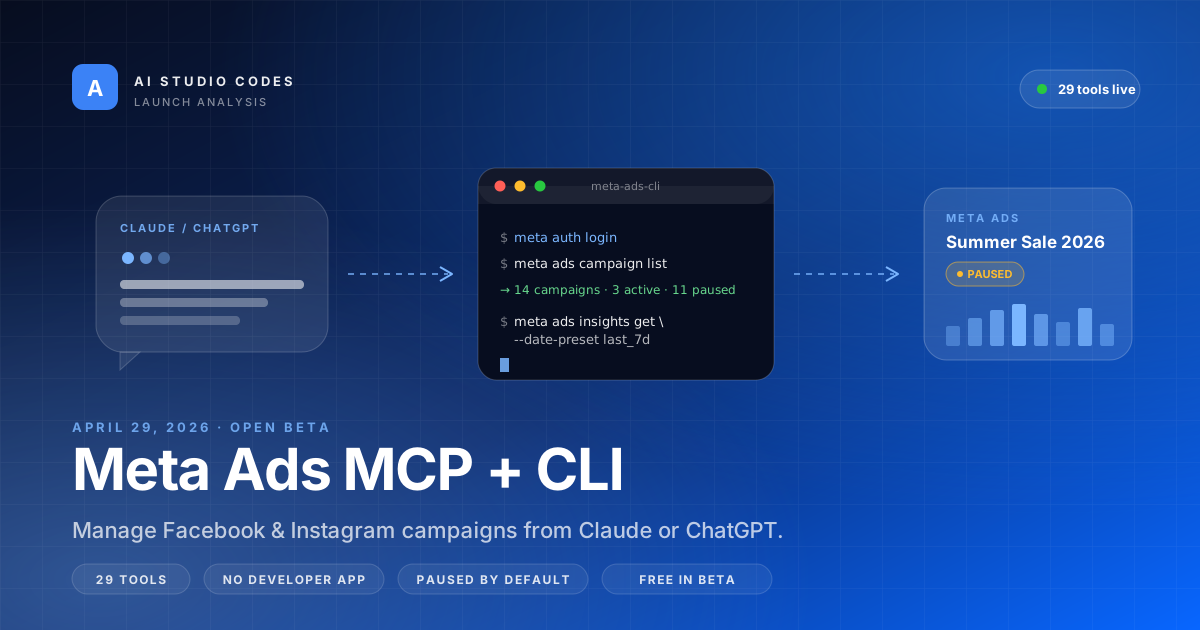
Meta's new AI connectors for ads are the first official path from a chat window to a live Facebook or Instagram campaign. The MCP server plugs into Claude Desktop and ChatGPT in two clicks; the CLI gives Claude Code and CI runners the same 29 tools as scriptable commands. Both default to paused ads, both run on Meta Business OAuth, and both are free during the open beta.
Open beta announced from Meta for Business and the Meta for Developers blog.
Across campaign management, product catalogs, accounts, dataset quality, and insights.
Three scope tiers: read-only, read/write, and financial — no Developer App registration.
Every campaign, ad set, and ad created by an AI starts paused until a human activates it.
- 1Meta now ships an official MCP endpoint at mcp.facebook.com/ads — no Developer App, OAuth instead of long-lived tokens.
- 2The companion meta-ads-cli gives Claude Code and CI the same 29 Marketing API tools as scriptable commands.
- 3AI-created campaigns, ad sets, and ads are PAUSED by default — a human still flips the switch.
- 4Three OAuth scopes (read-only, read/write, financial) let you give an agent exactly as much access as the workflow needs.
- 5Free during the open beta; supported in Claude (Pro/Team), ChatGPT (paid tiers), Claude Code, and CI runners.
What Meta Actually Shipped on April 29
Meta released two official surfaces for AI-driven ad management on April 29, 2026 — both announced simultaneously on the Meta for Business newsroom and the Meta for Developers blog.
1. The Meta Ads MCP server
A hosted Model Context Protocol endpoint at https://mcp.facebook.com/ads. You add it to Claude Desktop or ChatGPT as a connector, sign in with your Meta Business account, and the chat window now has authorized access to your ad accounts. No Developer App registration. No long-lived access tokens to babysit.
2. The meta-ads-cli
A local Python CLI (Python 3.12+, install via pip or uv) that exposes the same 29 Marketing API tools as scriptable commands. It is the path Meta recommends for Claude Code, CI runners, and shell-based workflows.
Both surfaces wrap the Meta Marketing API. Both run through Meta Business OAuth. Both create resources in PAUSED status by default — a human still has to flip them live. And both are free during the open beta.
Why this announcement matters
Until April 29, connecting an AI agent to a Meta ad account meant registering a Developer App, surviving app review, managing system user tokens, and praying that none of your automated edits looked enough like bot traffic to trigger a ban. Bryan Cano's reaction tweet captures why marketers cared immediately.
🚨 Meta released their Ads MCP and CLI today – if you use Claude or ChatGPT you should install this asap (resources in comments). What makes this announcement so interesting is that it gives AI tools direct, authorized access to help manage your Meta Ads account through natural language.
— Bryan Cano (@BryanECano) April 29, 2026
“What makes this announcement so interesting is that it gives AI tools direct, authorized access to help manage your Meta Ads account through natural language.”
The 29 Tools, Grouped by What They Actually Do
Both the MCP server and the CLI expose the same 29 tools. They cluster into five buckets — useful to know before you write a prompt or a script.
Campaign management (5 tools)
List, create, update, duplicate, and delete campaigns, ad sets, and ads. This is the cluster that produces new objects in your account — and the one that always defaults to PAUSED.
Product catalogs (10 tools)
The biggest single bucket. Build and manage product catalogs and product sets, push feed updates, and read catalog health. This is what makes the connectors interesting for ecommerce: a single agent can audit a catalog, fix missing fields, and push corrected data without a CSV round-trip.
Accounts (3 tools)
List ad accounts, switch the active account, and inspect account-level metadata.
Dataset quality (4 tools)
Pixel firing status, conversion API health, signal diagnostics. The cluster that catches "why is my CPA suddenly broken" before you waste a budget cycle.
Insights (7 tools)
The reporting cluster: spend, impressions, CTR, ROAS, frequency, breakdowns, and custom date ranges. This is where most of the daily-driver work happens — and it is the cluster the Ads Uploader team has publicly called "well-served" by AI, as opposed to launch workloads which are still "structurally fragile."
- Campaign management — 5 tools, all create paused objects
- Product catalogs — 10 tools, the largest single cluster
- Accounts — 3 tools for switching and inspecting
- Dataset quality — 4 tools for Pixel and CAPI health
- Insights — 7 tools, the reporting workhorse
Setting It Up: Three Paths in About Five Minutes
There are three install paths depending on where you want the agent to live.
Path 1 — Claude Desktop
- Open Claude → Customize → Connectors
- Click + Add custom connector
- Paste the endpoint:
https://mcp.facebook.com/ads - Sign in through Meta's official OAuth screen
- Pick a scope tier (read-only / read-write / financial)
- Toggle the connector on inside any conversation
Path 2 — ChatGPT (paid tiers)
- Settings → Apps → Advanced settings
- Enable developer mode
- Add the Meta MCP URL
https://mcp.facebook.com/ads - In a chat, switch to Developer Mode and select the Meta Ads connector
- Approve through Meta's auth page
Path 3 — CLI (Claude Code, CI, shell scripts)
# Requires Python 3.12+
pip install meta-ads-cli

meta auth login
meta config set default_account act_1234567890

# First sanity check
meta ads campaign list
The CLI reads tokens and account IDs from environment variables, so you can keep secrets out of shell history and out of any committed config. Combined with meta auth login, this gives Claude Code the same authority as the chat connectors — but inside a repo, alongside your code.
Quick smoke test prompt
Once connected, the fastest way to know it works:
"Show me my top 5 campaigns from the last 7 days by ROAS, with spend and conversions."
If you get a structured answer with real numbers from your account, the OAuth handshake worked.
- Claude Desktop: Connectors → paste mcp.facebook.com/ads → OAuth
- ChatGPT: Apps → developer mode → same MCP URL → OAuth
- CLI: pip install meta-ads-cli → meta auth login → meta ads campaign list
- Use environment variables for tokens — never commit them
- Run a read-only insights prompt first to confirm the handshake
What People Are Already Building
Within the first 48 hours, three workflow patterns emerged across Twitter, Reddit, and the early write-ups from agencies and tooling companies.
1. Daily anomaly watchdogs
A scheduled CLI job (or a daily Claude run) that compares today's spend, CPM, and conversion volume against a 14-day baseline. Anything more than two standard deviations out gets summarized into a Slack message. The DataAlly marketer's guide walks through the pattern with concrete prompts.
2. Catalog and Pixel health audits
This is the use case that only works because of the catalog (10 tools) and dataset-quality (4 tools) clusters. Agents scan for missing product fields, broken Pixel events, and unfiring CAPI endpoints — work that previously meant a human clicking through Events Manager.
3. Bulk paused-campaign creation from briefs
Marketers feed the agent a campaign brief (objective, audience, budget, creative URL) and ask it to draft N variants. Because everything ships PAUSED, this is safe to run before review. Common Thread Collective's analysis frames this as "reporting workloads are well-served and launching workloads are structurally fragile" — which is a fair read of where the connectors are strongest today.
What is not working yet
- Custom conversions and Cost-per-Add-to-Cart are missing from the insights cluster
- Coverage is shallower than the full Marketing API — power users still hit endpoints the connectors don't expose
- Rollout is wave-based — not every account sees the connector option immediately
- Meta-only — there is no equivalent for Google, TikTok, LinkedIn, or X yet
“Reporting workloads are well-served. Launching workloads are structurally fragile.”
Safety, Scopes, and Why You're Less Likely to Get Banned
The biggest historical risk with AI-driven ad automation has been account suspension for unsanctioned API usage. The official connectors materially change that risk profile, but they don't eliminate it.
Three OAuth scope tiers
- Read-only — query campaigns, insights, catalogs, and dataset quality
- Read/write — also create, edit, duplicate, and pause objects
- Financial — also adjust budgets and bid strategies
Give the agent the smallest scope that does the job. Reporting agents should never get the financial scope.
What lowers risk on the official path
- Meta's own OAuth flow — the consent page is unmistakably Meta's
- Traffic flows through official endpoints — not flagged as non-human
- PAUSED-by-default on every created object — humans flip the switch
- No personal access tokens floating in
.envfiles for someone to leak
What is still risky
- Rate-limit thrash — an agent in a tight loop still gets throttled
- Constant automated edits — high-frequency budget churn still looks suspicious
- Mixing official and unofficial connectors — third-party MCP servers using personal tokens are still in the same risk zone they were in before
A practical safety pattern
- Start every new agent on the read-only scope for at least a week
- Promote to read/write once you trust the tool selection
- Promote to financial only for narrow, well-tested workflows
- Keep a staging campaign with a tiny daily budget that the agent practices on before any real account work
The Verdict: Worth Installing Today?
Yes — install the read-only scope today, even if you're not ready to let an agent spend money. The reporting cluster alone replaces a meaningful chunk of weekly CSV-export-and-pivot work, and the OAuth path is the lowest-risk way to give Claude or ChatGPT access to your account.
The launch surfaces are unmistakably v1: 29 tools is a lot, but it's still a subset of what the Marketing API can do. Custom conversions are missing. Wave rollout means some accounts wait. Launch workloads are still better as drafts than as live decisions.
But the architectural shift is real. "Manage my Meta Ads account by talking to Claude" is no longer a hack involving a Developer App and a system user token — it's a connector toggle. That's the kind of change that compounds.
- ✅ Install today: you're a marketer who runs weekly performance reports
- ✅ Install today: you're a developer using Claude Code and want scriptable ad ops
- ✅ Install today: you manage product catalogs and want Pixel/CAPI health checks
- ⏭️ Wait a beat: you need custom conversions or full Marketing API depth
- ⏭️ Wait a beat: your account is in a region the wave rollout hasn't reached
- ⏭️ Wait a beat: you need cross-channel (Google, TikTok, LinkedIn) in the same agent
All Sources and References
Primary launch sources
- Meta for Business — Introducing Meta Ads AI Connectors — Official announcement, April 29, 2026
- Meta for Developers — Introducing Ads CLI — CLI launch post and command reference
- Manage Ads from an AI Agent — Meta Business help center setup guide
- Meta Ads — MCP Server listing — Tool catalog and scope reference
Community reactions and analysis
- Bryan Cano's launch-day tweet — The viral marketer's reaction quoted above
- Meta Ads MCP and CLI: Inside Meta's Official AI Connectors — mcp.directory's deep dive
- Meta Just Launched AI Connectors for Ads — Common Thread Collective's ecommerce analysis
- Meta Ads MCP and CLI: How to Connect Meta to Claude or ChatGPT — DataAlly's marketer setup walkthrough
- Meta Ads MCP + CLI: Skip the Developer App — Claude Fast's developer-focused walkthrough
Related context
- pipeboard-co/meta-ads-mcp on GitHub — The leading community-built Meta Ads MCP server (predates the official launch)
Frequently asked questions
Do I need to register a Meta Developer App to use the MCP server?↓
No. That is the whole point of the official launch. You authenticate through Meta Business OAuth from inside Claude Desktop or ChatGPT — no Developer App, no app review, no system user tokens. The CLI also supports the same OAuth flow via meta auth login.
Will AI-created campaigns go live automatically?↓
No. Every campaign, ad set, and ad created through the MCP server or the CLI ships in PAUSED status by default. A human has to activate them. This applies even at the financial scope tier.
What's the difference between the MCP server and the CLI?↓
Same 29 tools, different surface. The MCP server lives at mcp.facebook.com/ads and plugs into chat clients (Claude Desktop, ChatGPT). The CLI is a local Python tool you call from the terminal — best for Claude Code, CI runners, and scripted workflows.
Is it free?↓
Yes, during the open beta that started April 29, 2026. You will still need a paid AI subscription on whichever side you use it (Claude Pro/Team or a paid ChatGPT tier), but Meta is not charging for the connector itself.
Which Meta Marketing API capabilities are NOT exposed?↓
The connectors expose 29 tools across campaign management, catalogs, accounts, dataset quality, and insights. Notable gaps as of launch include custom conversions, Cost per Add-to-Cart, and parts of the audience and creative APIs. Power users with deep needs may still hit the raw Marketing API.
Can the agent get my account banned?↓
The official connectors materially lower that risk because they use Meta's own OAuth flow and official endpoints. Risk remains if you (a) hit rate limits with a tight automation loop, (b) make constant high-frequency budget edits, or (c) mix the official MCP with unofficial third-party connectors using personal tokens.
Does this work for Google Ads, TikTok, or LinkedIn?↓
No. The April 29, 2026 launch is Meta-only. It covers Facebook and Instagram ad accounts. Other platforms have their own community-built MCP servers, but no equivalent first-party launch as of this writing.
HTML Is the New Markdown: How Anthropic's Claude Code Team Reframed AI Output
Markdown won the LLM format war by being simple, portable, and predating agents. But Claude Code's engineering lead just argued the era is ending: agents now produce 200-line plans, code reviews, and reports that are unreadable as plain prose. His proposed default — generate HTML, not Markdown — has been adopted by Simon Willison within hours. We unpack the thesis, the 20-example gallery, the cost math, and the workflows people are already using.
Connect Meta Ads to your AI today
Add https://mcp.facebook.com/ads as a connector in Claude or ChatGPT, or run pip install meta-ads-cli for Claude Code. Start on the read-only scope and promote up as you trust the workflow.